

Eisenhower Matrix Excel Template for Clearer Prioritization
The Eisenhower Matrix Excel Template helps professionals, freelancers, students and individuals prioritize tasks based on urgency and importance in one structured Microsoft Excel workflow.
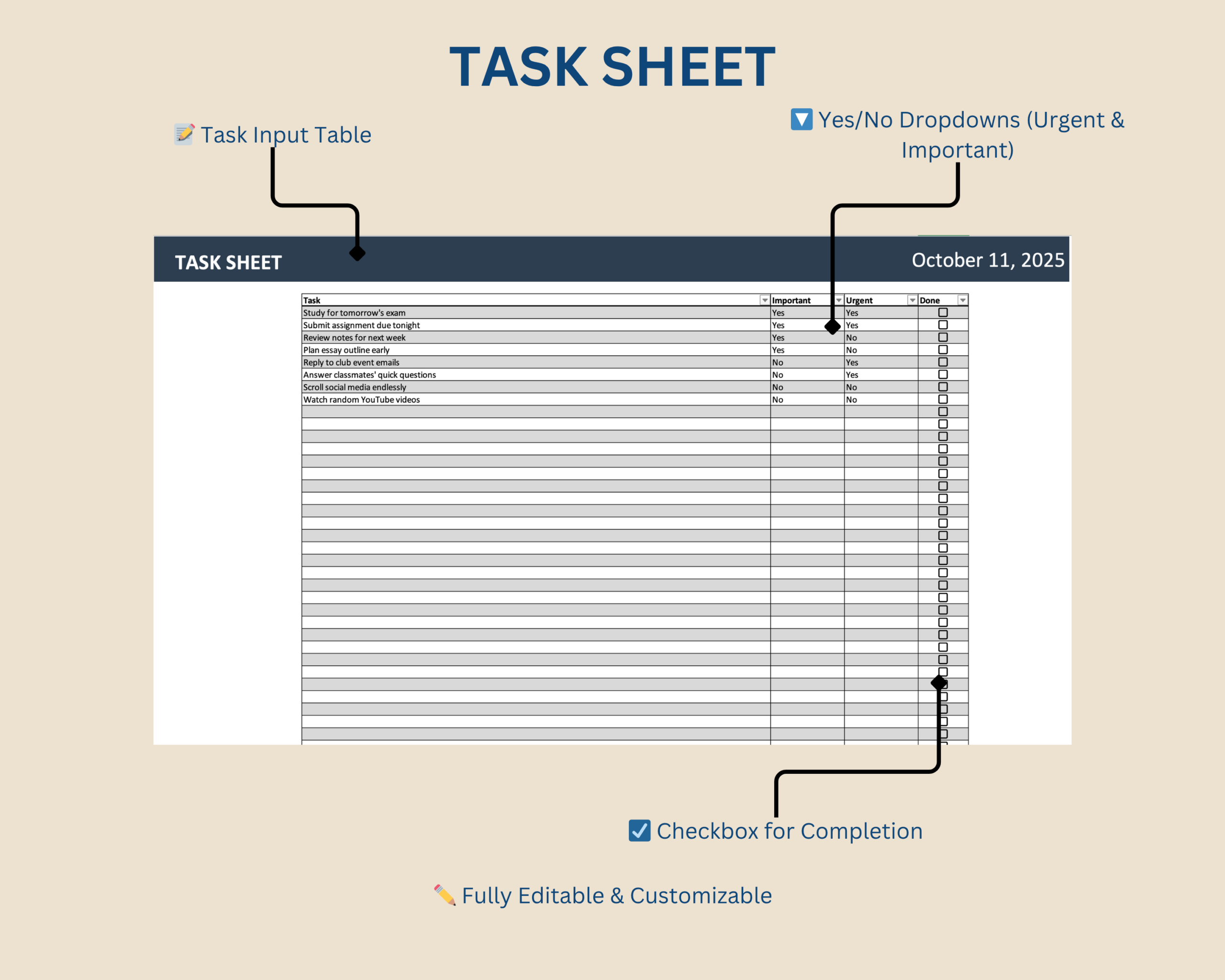
Instead of working through an unstructured to-do list, enter your tasks and select whether each task is urgent and important using simple dropdown menus.
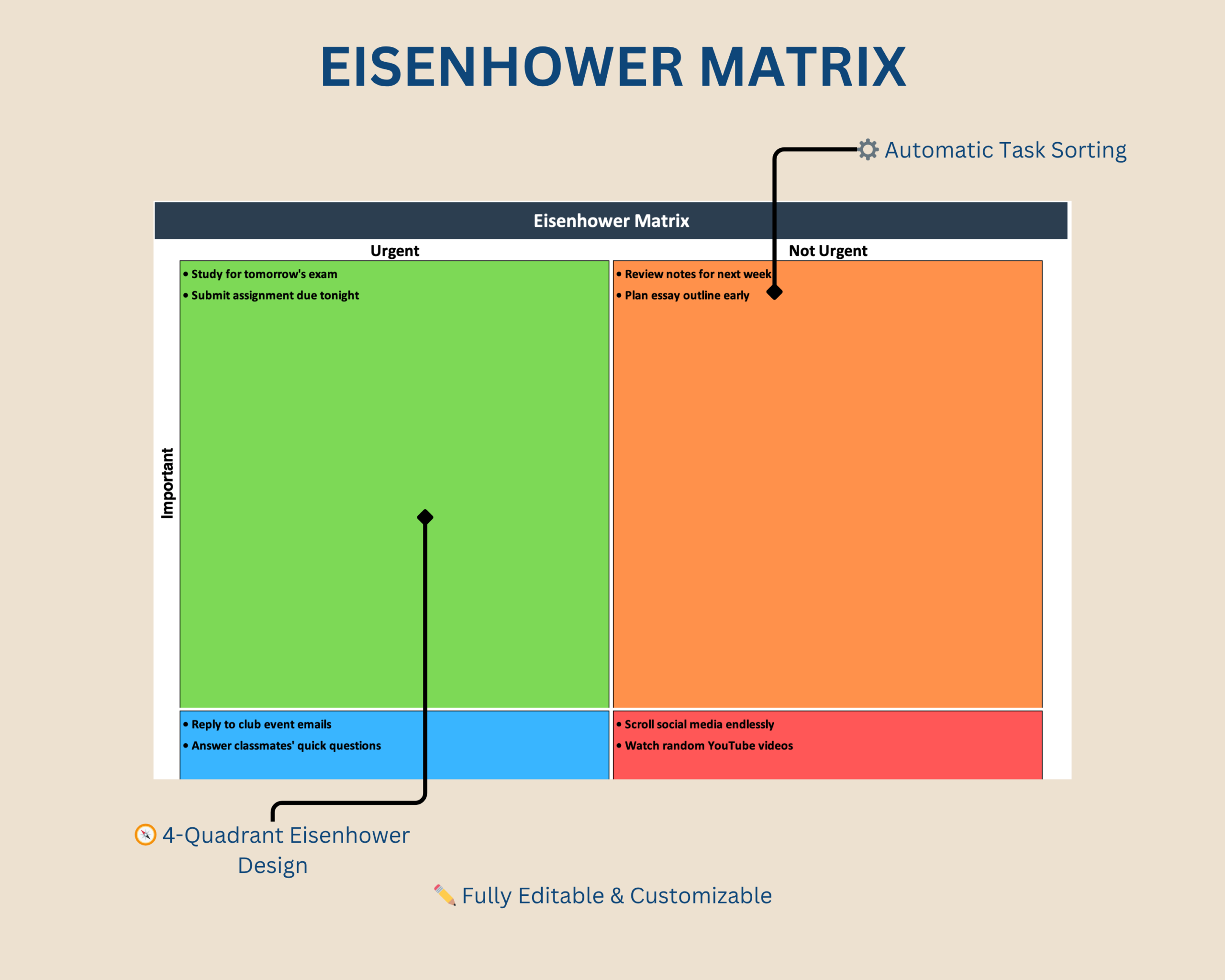
The template automatically places each task into the appropriate Eisenhower Matrix quadrant, giving you a clear visual overview of what requires immediate attention and what can be scheduled, delegated or deprioritized.
What This Eisenhower Matrix Helps You Do
- Prioritize tasks based on urgency and importance
- Turn a standard to-do list into a structured priority system
- Automatically organize tasks into four priority quadrants
- Identify tasks that need immediate attention
- Separate important work from lower-priority activities
- Track task completion
- Maintain a clearer overview of your workload
- Reduce manual sorting and prioritization
What’s Included
Your digital download includes:
- Microsoft Excel Eisenhower Matrix template
- Structured task input table
- Urgent and Important dropdown selections
- Automatic four-quadrant task placement
- Color-coded Eisenhower Matrix dashboard
- Task completion tracking
- Protected formulas and key worksheet areas
The Four Eisenhower Matrix Quadrants
The template organizes tasks according to the classic four-quadrant Eisenhower Method:
- Urgent & Important – tasks that require immediate attention
- Important & Not Urgent – important tasks that should be planned or scheduled
- Urgent & Not Important – tasks that may be delegated or handled efficiently
- Not Urgent & Not Important – lower-priority tasks that can be reduced, postponed or removed
This structure helps separate genuinely important work from tasks that simply feel urgent.
Key Features
- Structured task input table
- Dropdown menus for Urgent and Important
- Automatic placement into the correct Eisenhower Matrix quadrant
- Color-coded four-quadrant dashboard
- Visual priority overview
- Completion tracking with checkboxes
- Protected formulas to reduce accidental changes
- Editable task input areas
- Reusable structure for different projects and workflows
How It Works
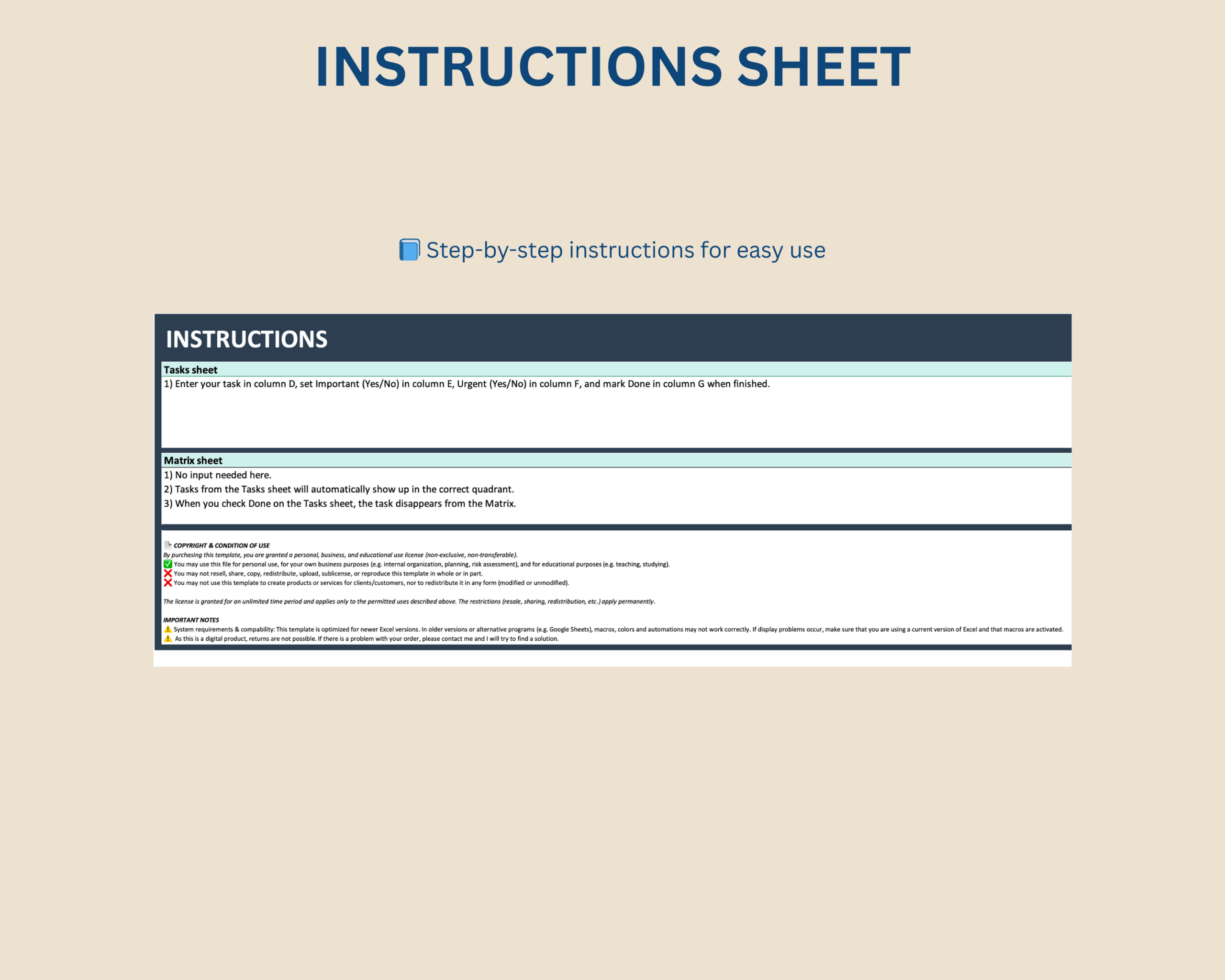
- Enter the tasks you want to prioritize.
- Select whether each task is Urgent.
- Select whether each task is Important.
- Review the automatically updated Eisenhower Matrix.
- Mark tasks as completed as you work through your priorities.
The result is one visual overview of what needs attention and where each task fits within your priorities.
Built for Professionals and Everyday Workflows
This Excel priority matrix is particularly suitable for:
- Freelancers managing competing priorities
- Professionals organizing day-to-day work
- Consultants balancing project and client tasks
- Small business owners
- Project managers and team leads
- Students managing study tasks
- Individuals looking for a structured productivity system
Microsoft Excel Compatibility
This product is designed for Microsoft Excel and optimized for current desktop versions.
Older Excel versions or alternative spreadsheet applications may not display all formulas, colors, formatting or automated functionality correctly.
Google Sheets, Apple Numbers and other spreadsheet applications are not recommended unless specifically stated otherwise.
A current desktop version of Microsoft Excel is recommended for reliable functionality.
Customization and Worksheet Protection
Task entries can be edited to match your own work, study or personal planning requirements.
Important formulas and worksheet areas are protected by default to help reduce accidental changes while keeping the main input areas editable.
Important Information
- This is a digital product. No physical item will be shipped.
- The purchase includes the Microsoft Excel Eisenhower Matrix template.
- The template is intended for task prioritization, productivity and internal planning.
- The Eisenhower Matrix provides a structured prioritization framework; individual task priorities remain the responsibility of the user.
- Compatibility and functionality may differ in older Excel versions or alternative spreadsheet applications.
- Please review the compatibility information before purchasing.
If you experience a technical issue with the file, please contact the Optimizoo support team.
License and Conditions of Use
Your purchase includes a non-exclusive, non-transferable license for personal, business and educational use.
You May
- Use the file for personal purposes
- Use the template internally within your own business
- Use the template for educational purposes such as teaching or studying
You May Not
- Resell, share or redistribute the template
- Upload, sublicense or reproduce the template in whole or in part
- Use the template to create products or services for clients or customers
- Redistribute modified or unmodified versions of the template
The license is granted for an unlimited period. Restrictions relating to resale, sharing and redistribution apply permanently.
Turn Your To-Do List Into a Clear Priority System
Use the Eisenhower Matrix Excel Template to separate urgent work from important work and organize tasks into one clear visual framework.
Prioritize more systematically without building your own Eisenhower Matrix from scratch.


Reviews
There are no reviews yet.