Employee Leave Tracker for Clearer Team Planning
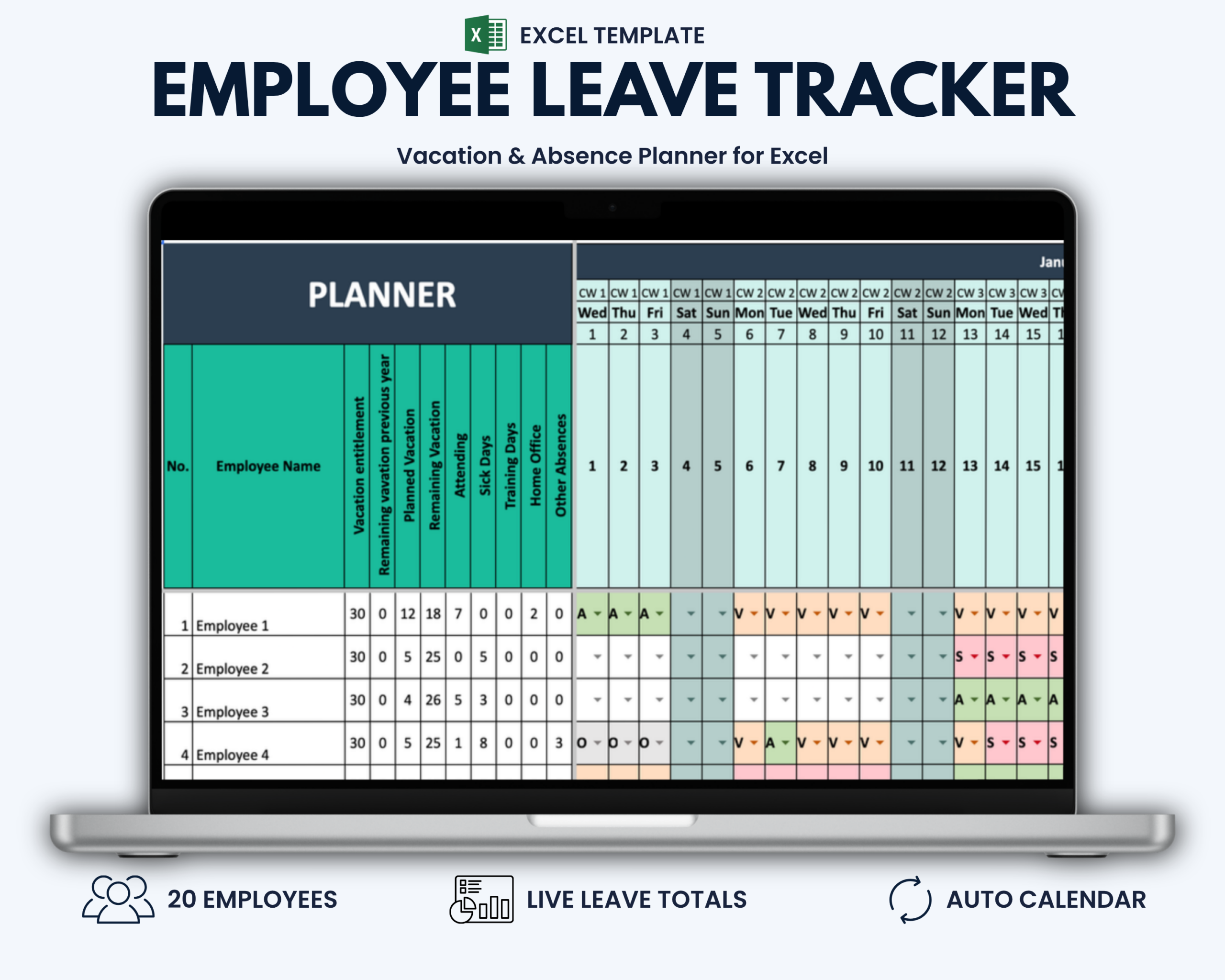
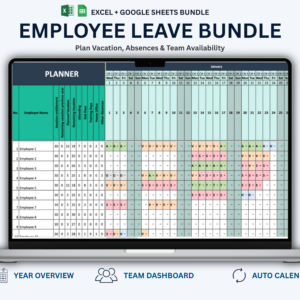
The Employee Leave Tracker for Excel helps small businesses manage vacation, sick leave, home office days, training and other employee absences in one structured Excel workbook.
Instead of maintaining separate calendars, spreadsheets or manual leave records, you can keep employee availability, vacation allowances and absence totals together in one place.
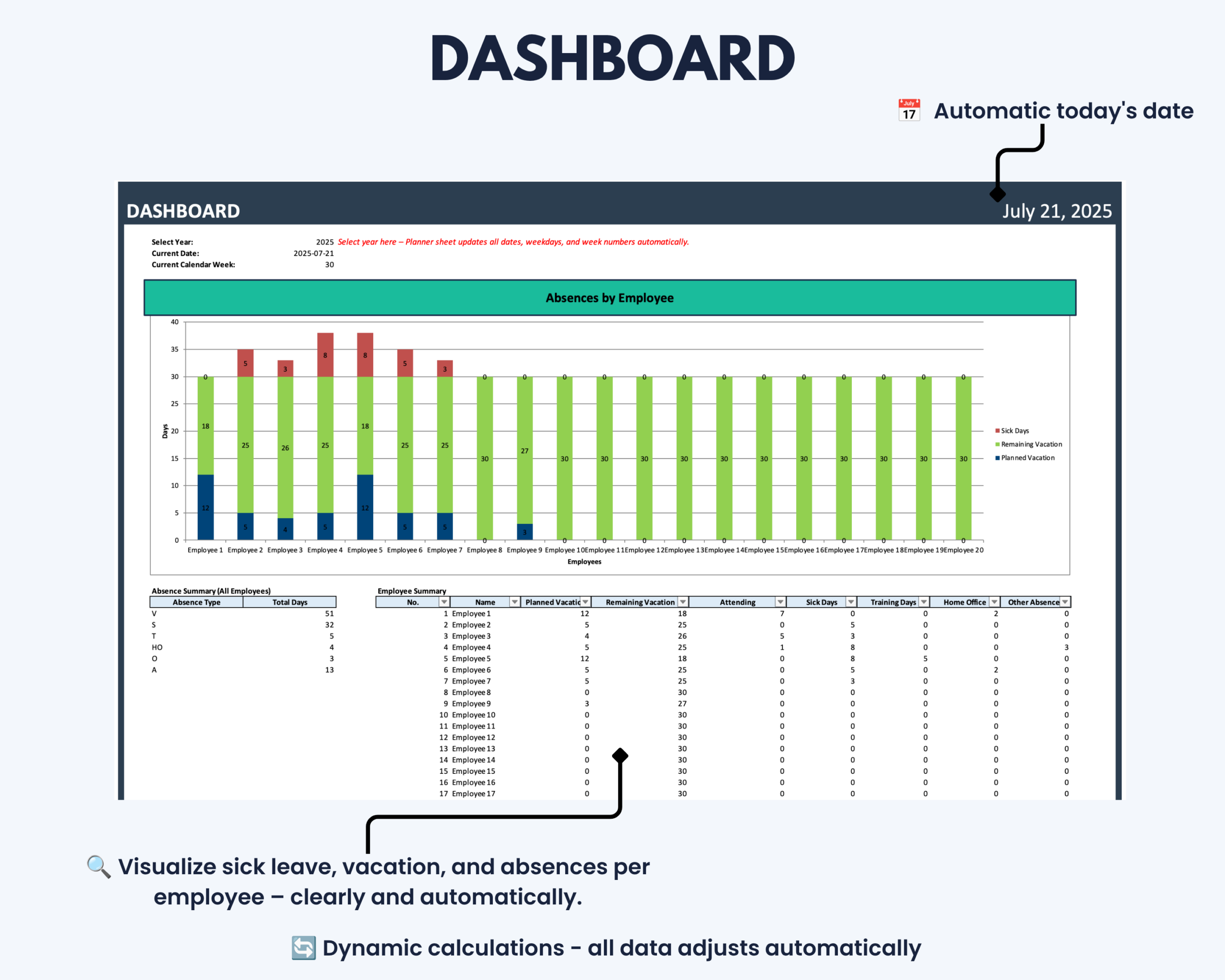
Enter your employees, set their vacation allowances and select the relevant daily status. The workbook calculates planned and remaining vacation days and summarizes key absence information in the integrated dashboard.
Designed for small businesses, team leaders, office managers and administrative teams that need a practical way to manage employee leave without implementing complex HR software.
What This Employee Leave Tracker Helps You Do
- View employee availability across the full year
- Plan and track employee vacation
- Record sick leave, training, home office and other absences
- Monitor planned and remaining vacation days
- Review individual employee absence totals
- Keep leave information in one structured workbook
- Use the dashboard for a quick overview of key leave metrics
- Reduce manual calculations and scattered leave records
What’s Included
Your digital download includes:
- 1 Microsoft Excel workbook in
.xlsxformat - Full-year employee vacation and absence planners for 2026–2031
- Employee leave dashboard
- Settings sheet for absence codes and labels
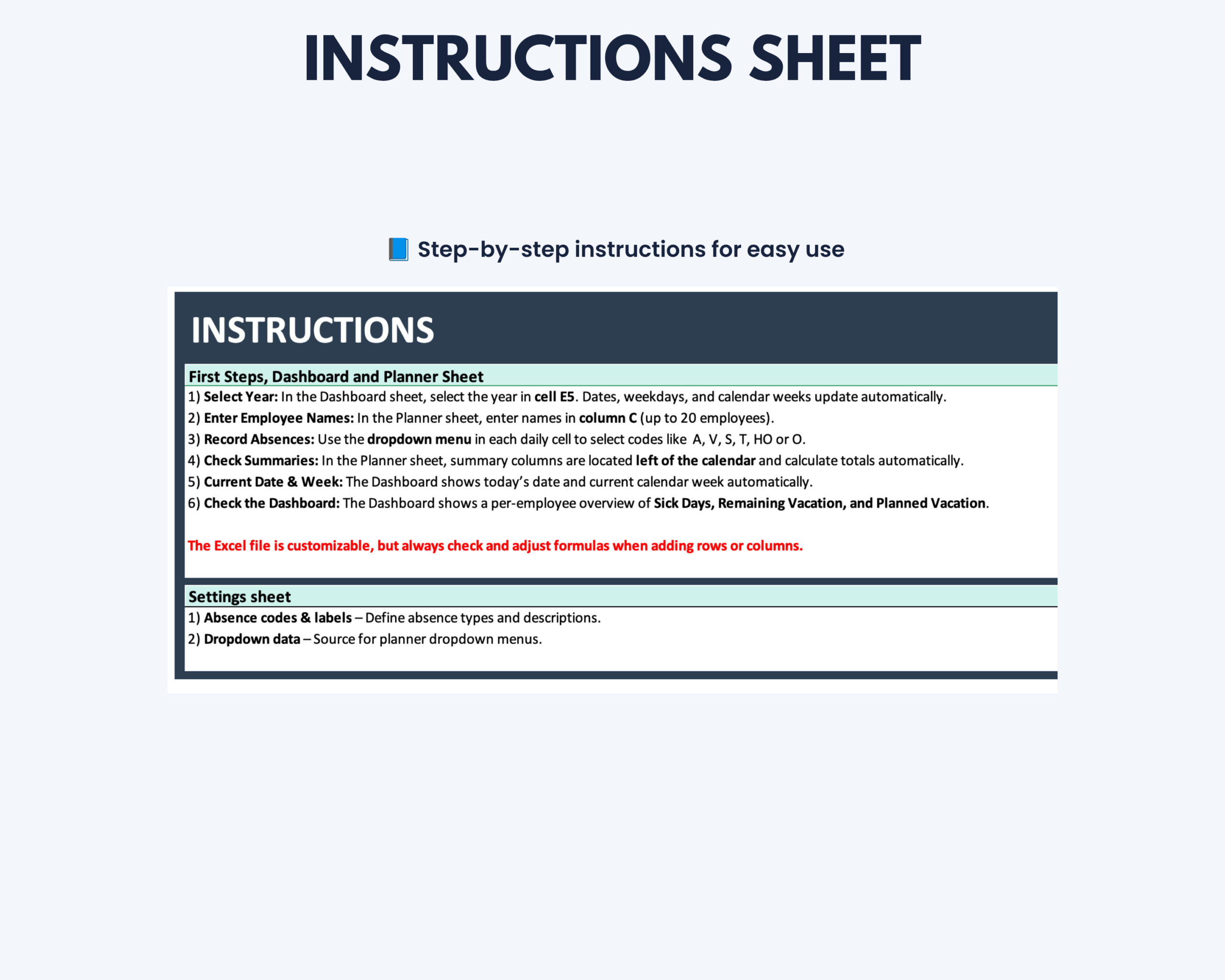
- Integrated step-by-step instructions
- Protected formulas and key worksheet areas to help prevent accidental changes
Key Features
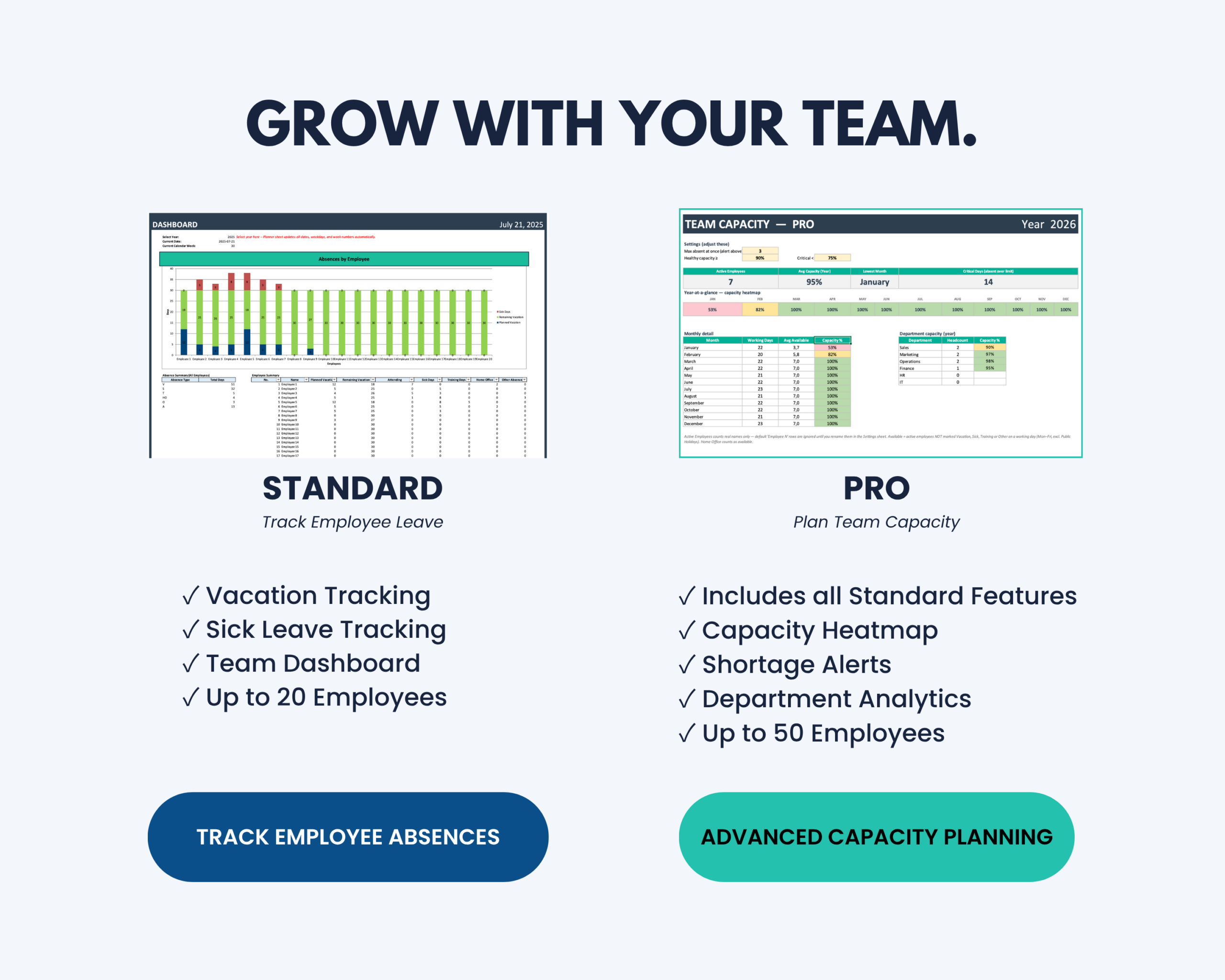
- Designed for up to 20 employees
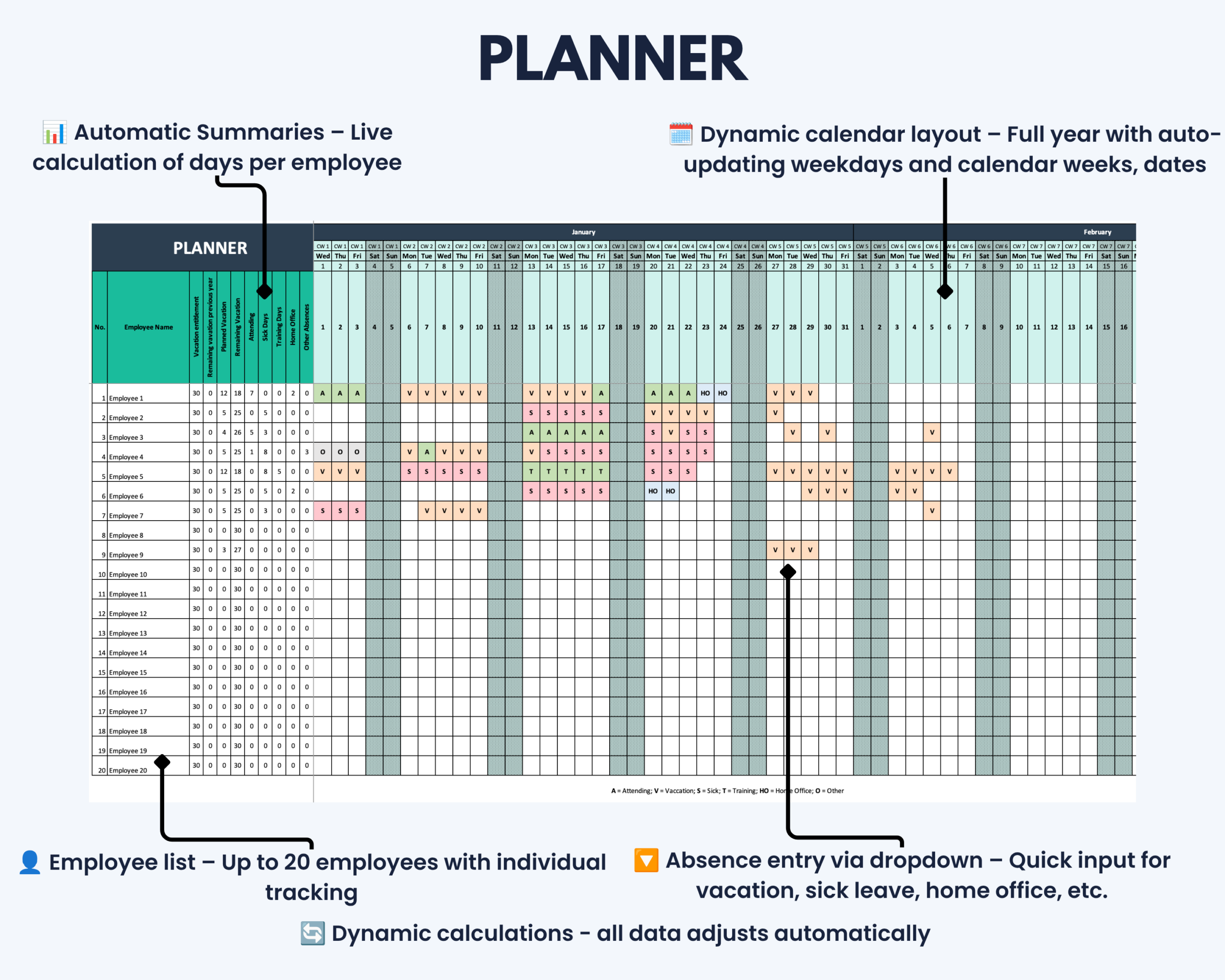
- Full-year calendar in one overview
- Year selection available through 2031
- Automatic dates, weekdays and calendar weeks
- Daily absence entry using dropdown menus
- Automatic color-coded status entries
- Individual employee vacation and absence totals
- Planned and remaining vacation calculations
- Dashboard showing planned vacation, remaining vacation and sick days
- Automatic display of the current date and calendar week
- No macros required
Included Status Types
The tracker includes six predefined status types:
- Attending
- Vacation
- Sick Leave
- Training
- Home Office
- Other
How It Works
- Open the relevant yearly Planner tab.
- Enter employee names and individual vacation allowances.
- Select the relevant status for each day using the dropdown menus.
- Select the required year in the dashboard to review the corresponding employee totals and results.
No macros or additional software are required.
Built for Small Businesses and Teams
This employee vacation and absence planner is particularly suitable for:
- Small business owners
- Team leaders and managers
- Office managers
- HR and administrative staff
- Agencies and service businesses
- Small teams managing employee leave internally
Need More Advanced Capacity Planning?
Need support for larger teams or more advanced workforce planning?
The Employee Leave Tracker PRO supports up to 50 employees and adds team capacity monitoring, department analytics, capacity heatmaps and configurable staff shortage alerts.
Excel Compatibility
This product includes the Microsoft Excel version only.
The workbook is designed for desktop versions of Microsoft Excel on Windows and Mac. A current version of Microsoft Excel is recommended.
No macros need to be enabled.
Due to the size and functionality of the annual planner, mobile and browser-based editing may be limited.
Google Sheets Version
Google Sheets is not included with this product.
The Excel workbook may be imported into Google Sheets, but formatting, formulas, dropdown menus and protected areas are not guaranteed to work correctly.
A dedicated Google Sheets version and an Excel + Google Sheets bundle are available separately in the Optimizoo shop.
Customization and Worksheet Protection
Employee names, vacation allowances and basic settings can be edited.
Important formulas and worksheet areas are protected by default to reduce the risk of accidental changes. Worksheet protection can be removed if required.
Structural modifications — such as adding additional employees, inserting rows or changing absence categories — may require adjustments to formulas, dropdown menus and data validation.
Basic Excel knowledge is recommended for advanced modifications.
Important Information
- This is a digital product. No physical item will be shipped.
- The purchase includes one Microsoft Excel workbook with integrated instructions.
- The Standard version is designed for up to 20 employees.
- The template is intended for internal planning and organization.
- It is not a cloud-based HR system.
- It does not include employee leave-request or approval workflows.
- It does not include an automatic public-holiday database.
- Please review the compatibility information before purchasing.
If you experience a technical issue with the file, please contact the Optimizoo support team.
License and Conditions of Use
Your purchase includes a non-exclusive, non-transferable license for personal, business and educational use.
You May
- Use the file for personal purposes
- Use the template internally within your own business
- Use the template for educational purposes such as teaching or studying
You May Not
- Resell, share or redistribute the template
- Upload, sublicense or reproduce the template in whole or in part
- Use the template to create products or services for clients or customers
- Redistribute modified or unmodified versions of the template
The license is granted for an unlimited period. Restrictions relating to resale, sharing and redistribution apply permanently.
Keep Employee Leave in One Clear Overview
Use the Employee Leave Tracker to replace scattered absence records and manual vacation calculations with one structured Excel workbook.
Keep vacation balances, absences and team availability visible throughout the year without introducing another complex HR system.


Reviews
There are no reviews yet.