Employee Leave Tracker PRO for Advanced Workforce Planning
The Employee Leave Tracker PRO for Excel combines employee vacation and absence planning with workforce capacity monitoring in one structured workbook.
Designed for teams that need more than a basic leave calendar, the PRO version supports up to 50 employees and helps you identify periods where employee availability may become critical.
Track vacation, sick leave, home office days, training and other absences while automatically monitoring capacity across your organization.
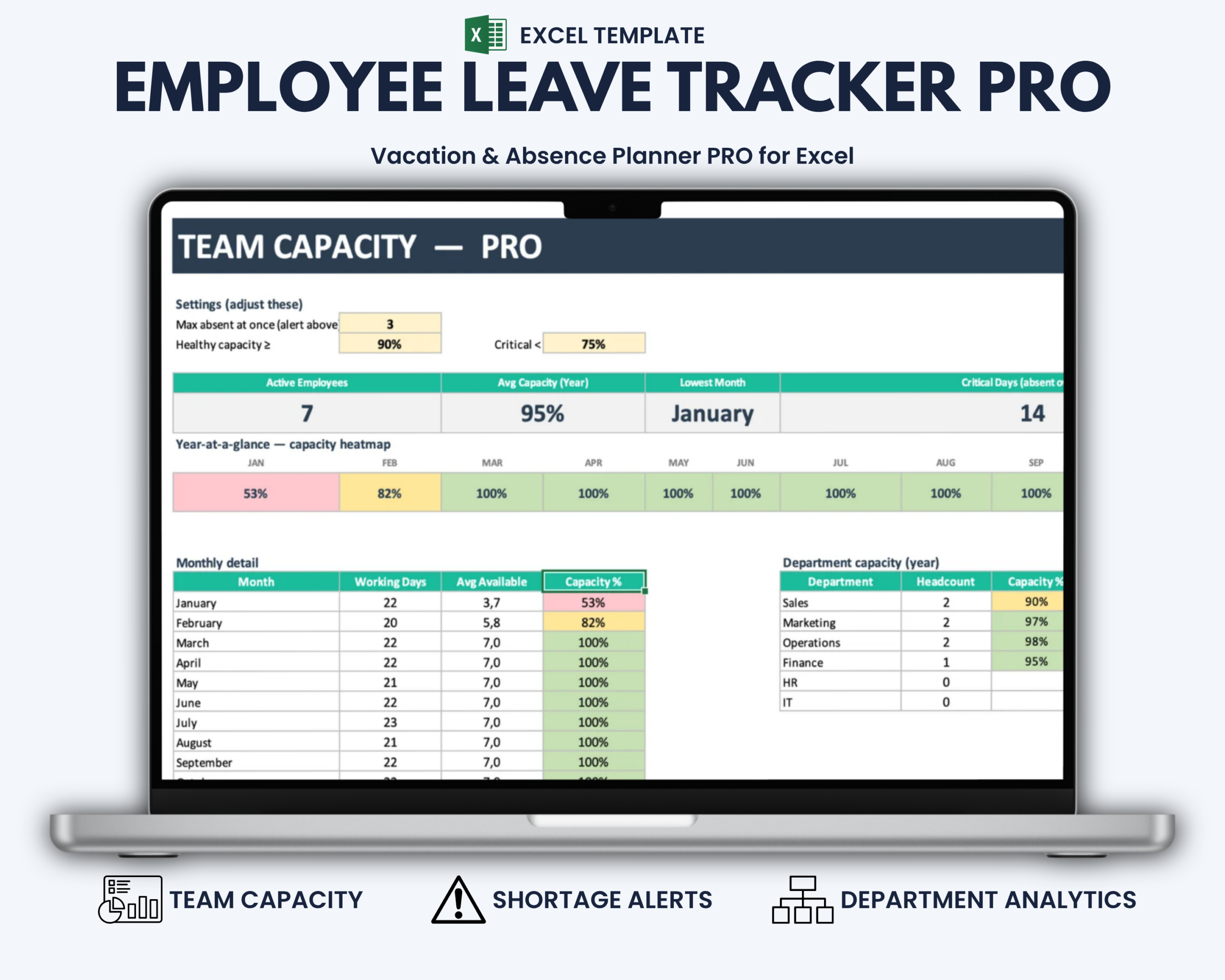
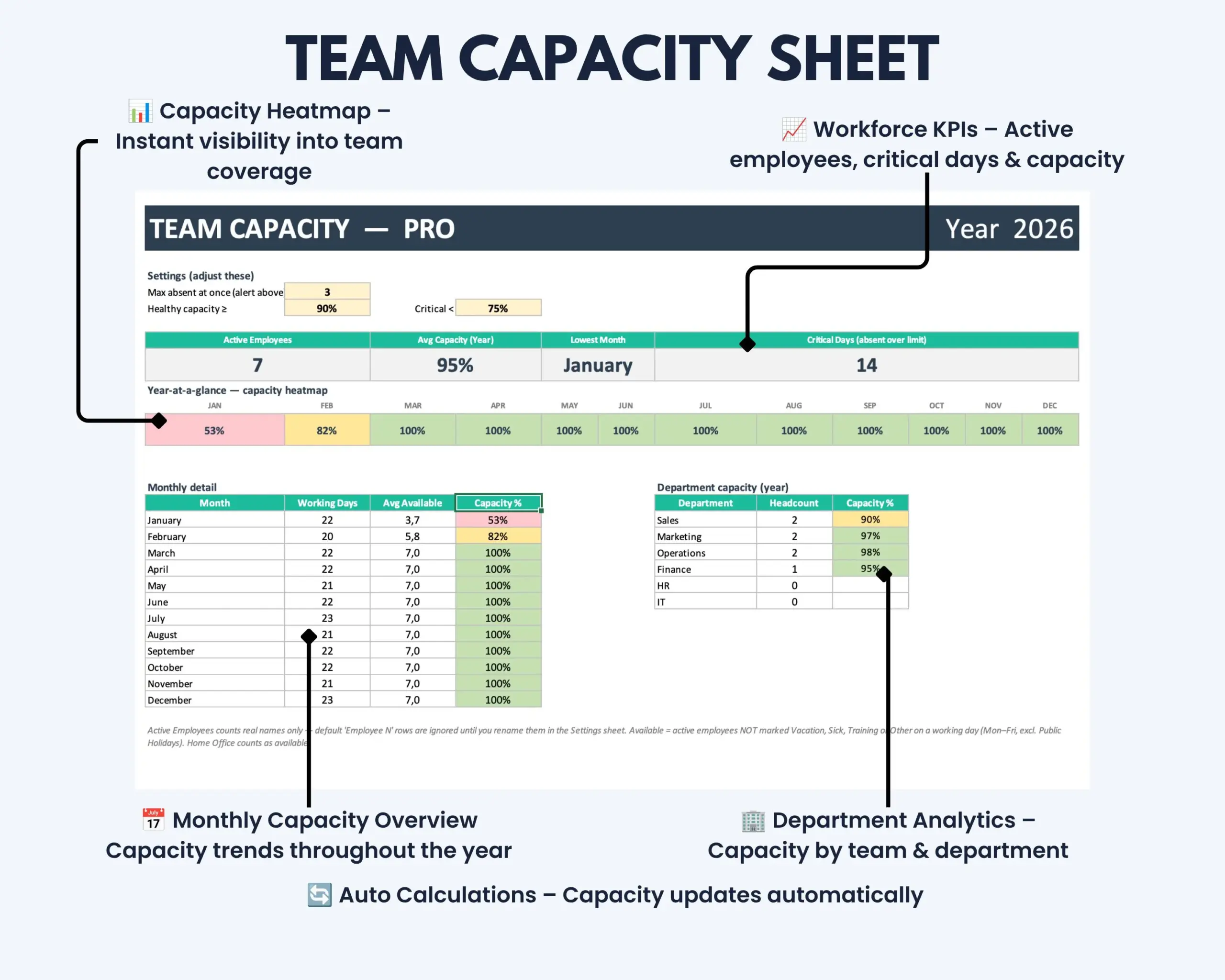
Capacity heatmaps, department analytics, configurable shortage limits and dashboard KPIs help managers see not only who is absent, but also when staffing levels may require attention.
What This Employee Leave Tracker PRO Helps You Do
- Plan employee vacation and absences across the full year
- Manage leave for up to 50 employees
- Monitor workforce and team capacity
- Identify potential staffing shortages
- Compare availability across departments
- Track critical capacity days
- Review monthly and annual capacity levels
- Configure absence limits and capacity thresholds
- Keep employee leave and capacity information in one structured workbook
- Reduce manual capacity calculations and scattered planning records
What’s Included
Your digital download includes:
- Microsoft Excel Employee Leave Tracker PRO
- Full-year employee vacation and absence planners for 2026–2031
- Team Capacity PRO dashboard
- Monthly capacity heatmap
- Department capacity analysis
- Configurable absence and capacity settings
- Employee and department setup areas
- KPI overview
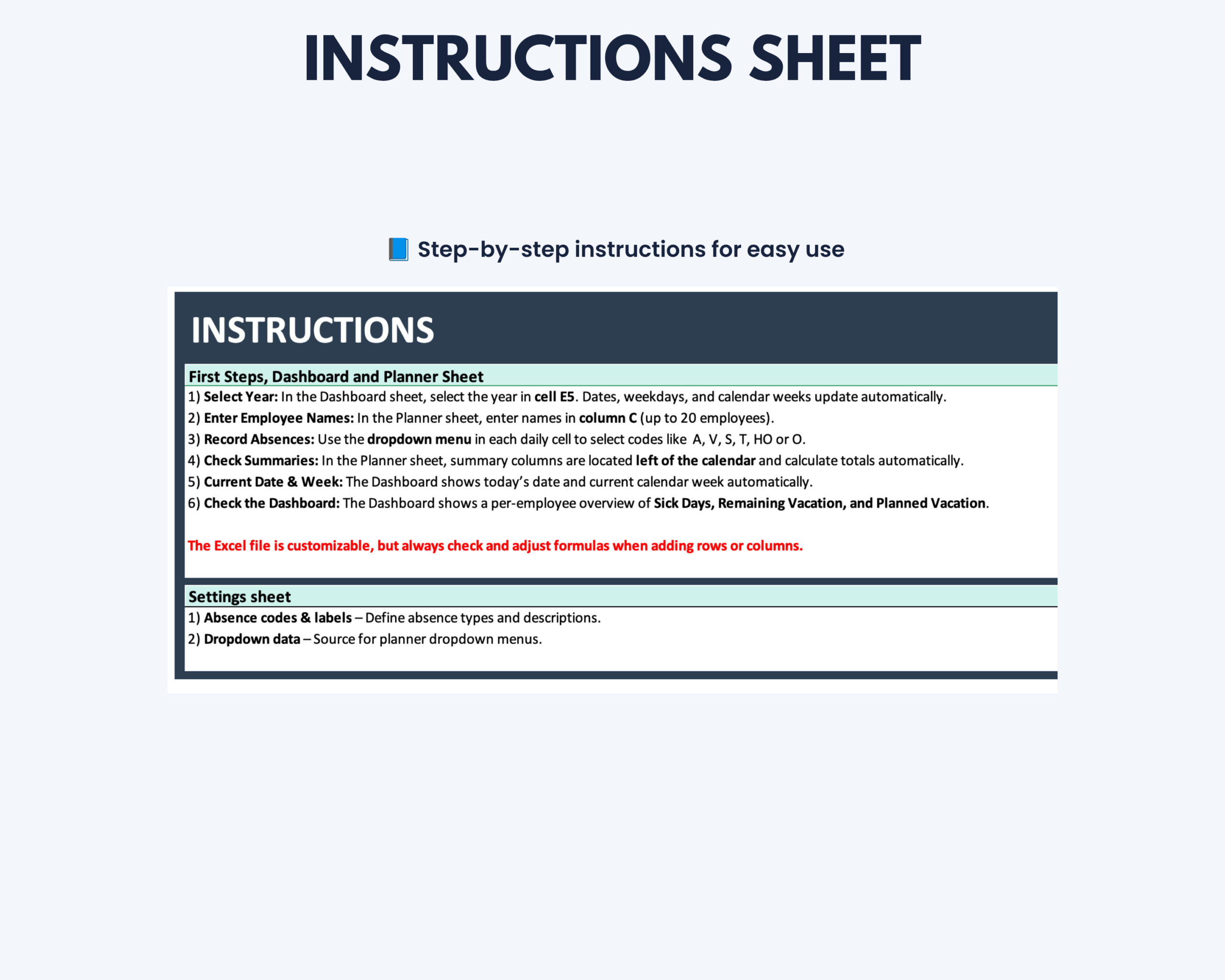
- Integrated instructions
Advanced Team Capacity Monitoring
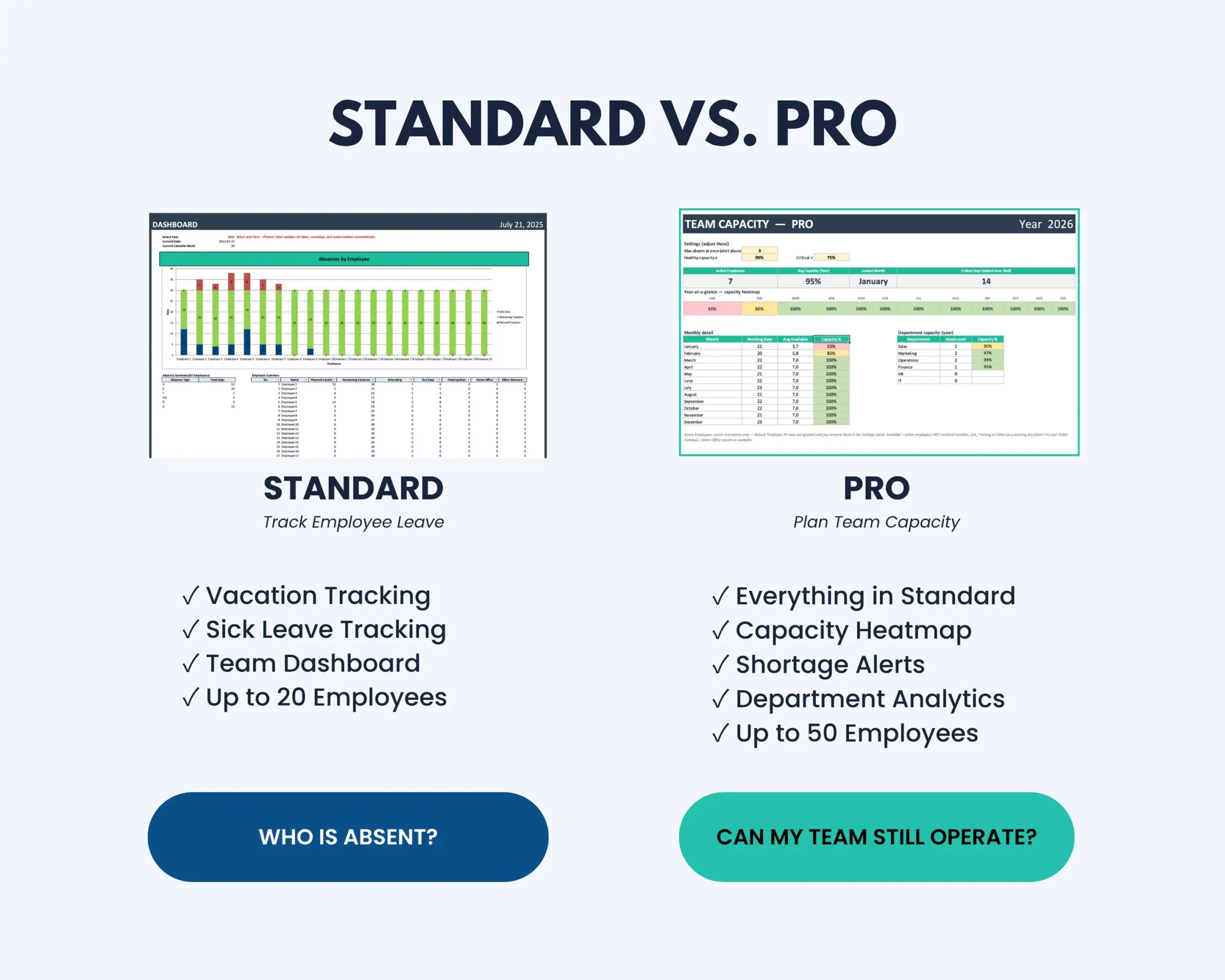
Unlike a standard leave planner, the PRO version combines absence tracking with workforce capacity analysis.
The template automatically evaluates team availability based on the employee and absence information entered into the workbook.
This helps you identify periods where multiple absences may reduce available capacity and gives managers a clearer basis for internal planning.
Key Features
- Supports up to 50 employees
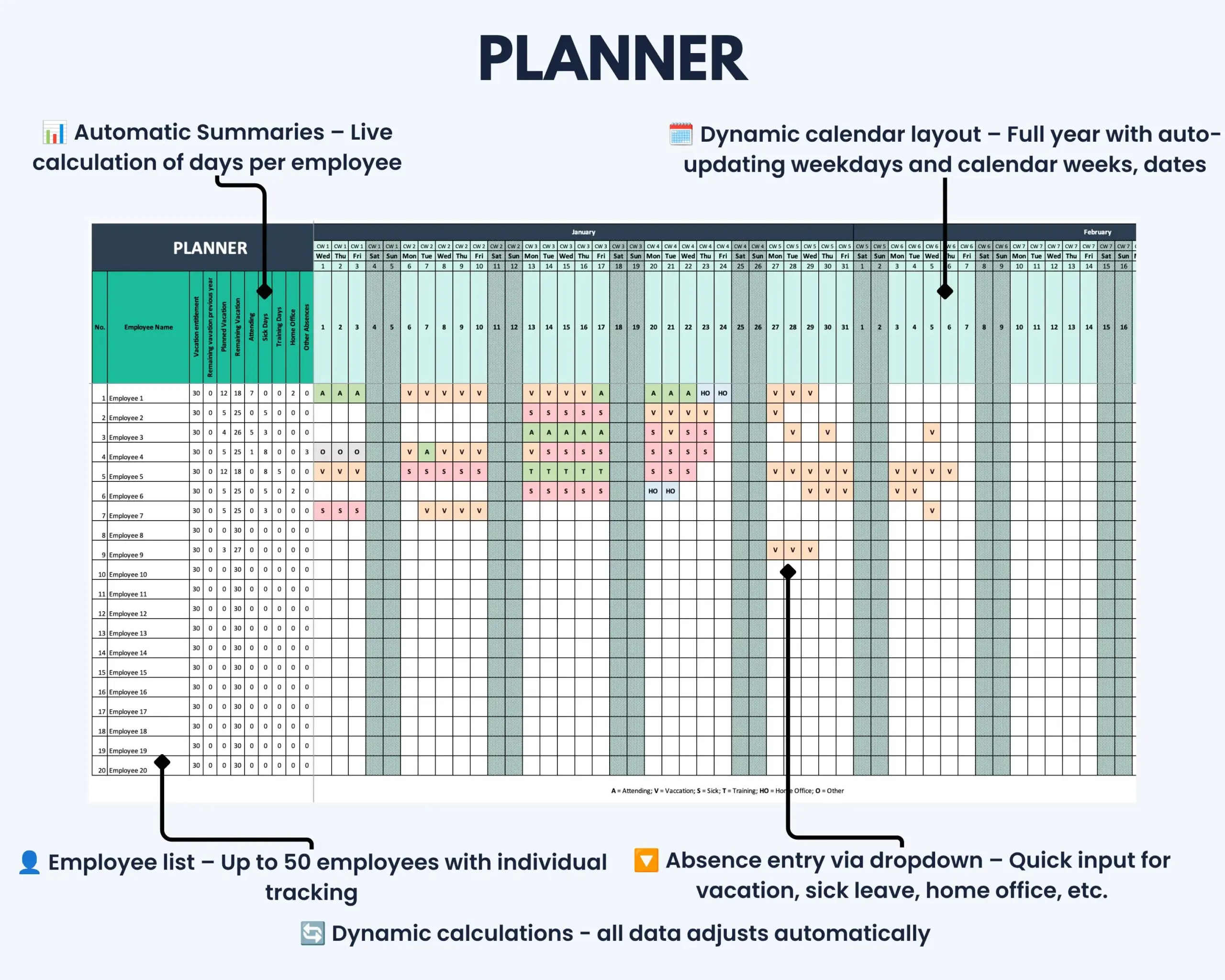
- Full-year employee leave calendar
- Dedicated yearly Planner tabs for 2026–2031
- Automatic dates, weekdays and calendar weeks
- Daily absence entry through dropdown menus
- Vacation, sick leave, home office, training and other absence tracking
- Automatic capacity calculations
- Weekends and configured holidays excluded from relevant capacity calculations
- Adjustable maximum number of employees absent at the same time
- Customizable healthy and critical capacity thresholds
- Monthly team capacity heatmap
- Department-based headcount analysis
- Department capacity analysis
- Color-coded capacity levels
- Configurable staff shortage alerts
- No macros or VBA required
Team Capacity PRO Dashboard
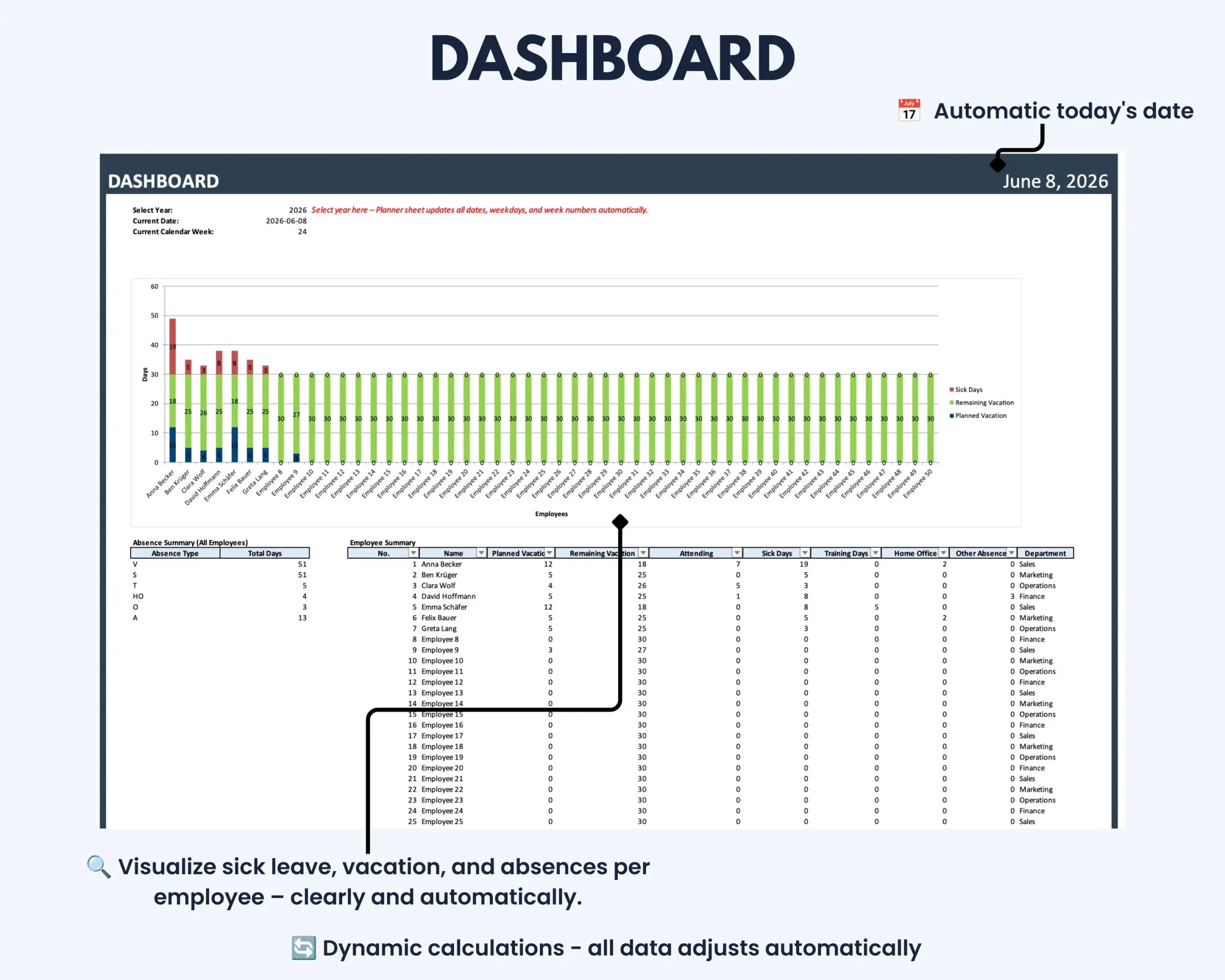
The integrated dashboard provides a high-level view of employee availability and workforce capacity.
Key metrics include:
- Active employees
- Average annual capacity
- Weakest capacity month
- Critical days
- Monthly capacity development
- Department capacity
- Capacity heatmap
This gives managers a faster way to identify potential problem periods without manually reviewing every absence entry.
How It Works
- Open the relevant yearly Planner tab.
- Enter your employees and assign their departments.
- Add vacation allowances and relevant employee information.
- Record vacation and other absences using the daily dropdown menus.
- Configure your maximum absence limit and capacity thresholds.
- Select the required year in the dashboard and review team capacity, critical periods and department results.
The workbook automatically updates the relevant calculations and visualizations based on your entries.
Built for Managers and Growing Teams
The Employee Leave Tracker PRO is particularly suitable for:
- Small business owners
- Team leaders
- Department managers
- Office managers
- Operations managers
- HR and administrative teams
- Agencies and service businesses
- Organizations managing employee availability internally
- Teams that need more visibility into staffing capacity
Microsoft Excel Compatibility
This product includes the Microsoft Excel PRO version only.
A current desktop version of Microsoft Excel is recommended.
The template can be used on Windows and Mac with a compatible version of Microsoft Excel.
No macros or VBA are required.
Google Sheets
Google Sheets is not included with this product.
Importing or converting the workbook to Google Sheets may affect formulas, formatting, dropdown menus and automated capacity calculations.
Correct functionality outside Microsoft Excel is therefore not guaranteed.
Looking for a Simpler Leave Planner?
If you only need straightforward vacation and absence planning for a smaller team, the Employee Leave Tracker for Excel supports up to 20 employees without the advanced workforce capacity features.
An Excel + Google Sheets Employee Leave Tracker Bundle is also available for teams that prefer platform flexibility rather than advanced capacity analysis.
Customization
Employee information, departments, absence entries, shortage limits and capacity thresholds can be adjusted within the designated input areas.
Structural modifications — such as adding more than 50 employees, inserting additional rows or modifying calculation areas — may require updates to formulas, dropdown menus and data validation.
Basic Excel knowledge is recommended for advanced modifications.
Important Information
- This is a digital product. No physical item will be shipped.
- The purchase includes the Employee Leave Tracker PRO for Microsoft Excel.
- The template is designed for up to 50 employees.
- Capacity calculations depend on the information entered into the workbook.
- Company-specific holidays, absence rules and staffing requirements remain the responsibility of the user.
- The template is intended for internal leave and workforce capacity planning.
- It is not payroll software or a dedicated HR platform.
- Employee leave-request and approval workflows are not included.
- Capacity indicators and shortage alerts are planning aids and do not replace management judgment.
- Please review the compatibility information before purchasing.
If you experience a technical issue with the template, please contact the Optimizoo support team.
License and Conditions of Use
Your purchase includes a non-exclusive, non-transferable license for personal, business and educational use.
You May
- Use the file for personal purposes
- Use the template internally within your own business
- Use the template for educational purposes such as teaching or studying
You May Not
- Resell, share or redistribute the template
- Upload, sublicense or reproduce the template in whole or in part
- Use the template to create products or services for clients or customers
- Redistribute modified or unmodified versions of the template
The license is granted for an unlimited period. Restrictions relating to resale, sharing and redistribution apply permanently.
Plan Leave With Greater Capacity Visibility
Use the Employee Leave Tracker PRO to combine annual leave planning with workforce capacity monitoring in one Excel workflow.
Identify critical periods earlier, compare availability across departments and keep employee absences and staffing capacity visible throughout the year.


Reviews
There are no reviews yet.