

Risk Assessment Excel Template for Structured Risk Management
The Risk Assessment Excel Template helps project teams, businesses and professionals identify, analyze, prioritize and monitor risks in one structured Microsoft Excel workflow.
Instead of managing risks across separate spreadsheets or calculating risk scores manually, the template guides you through four connected stages: risk identification, risk analysis, mitigation tracking and after-mitigation review.
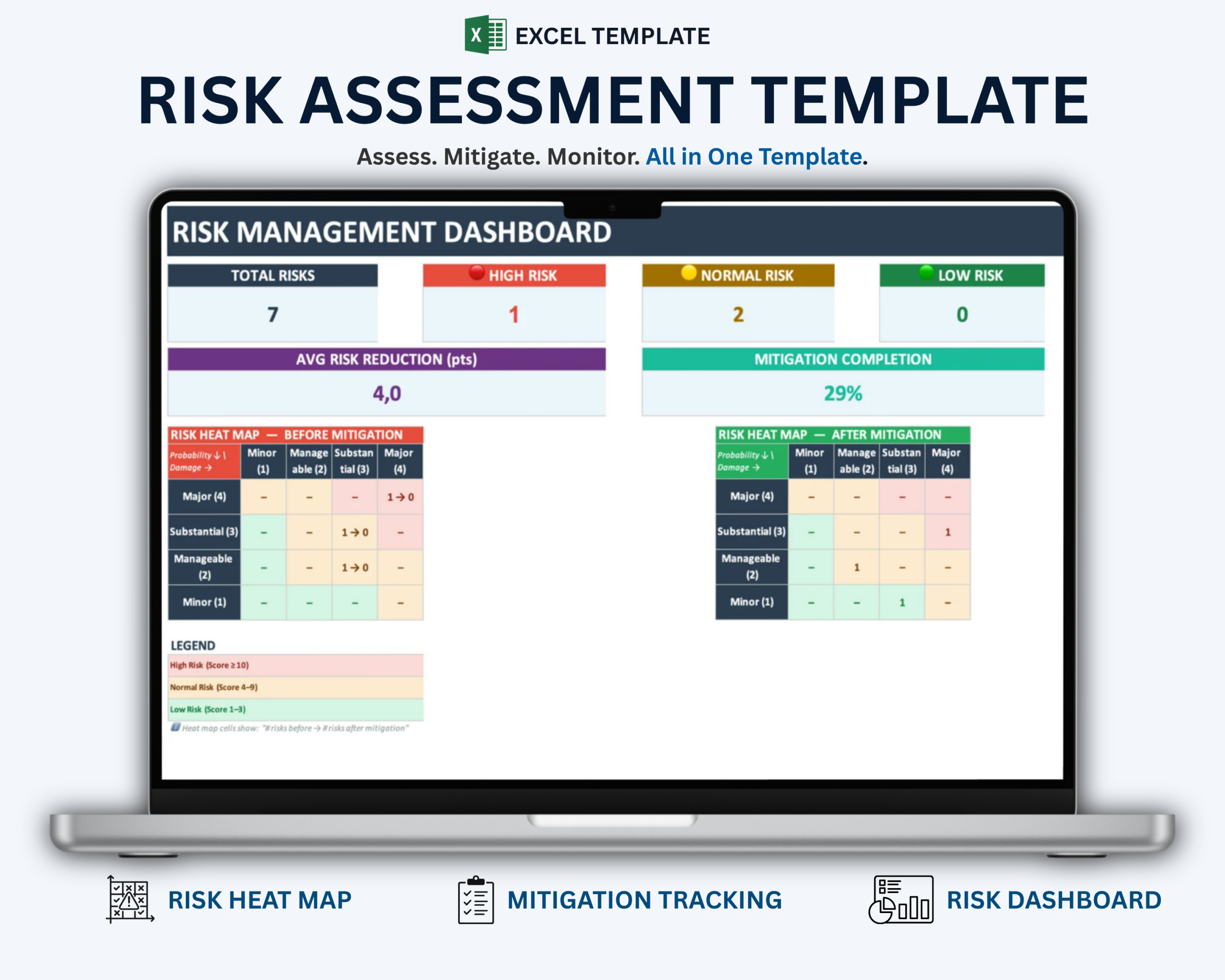
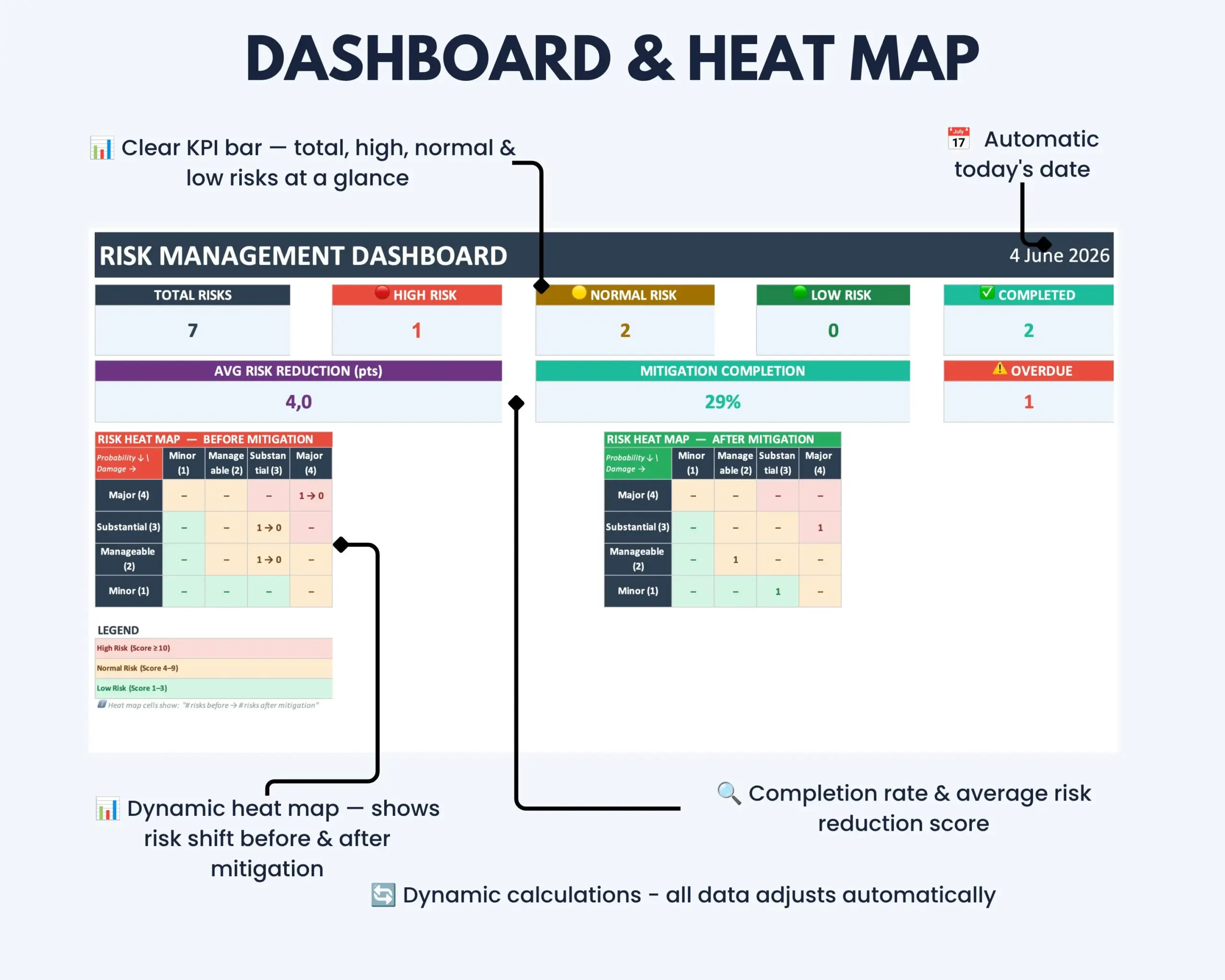
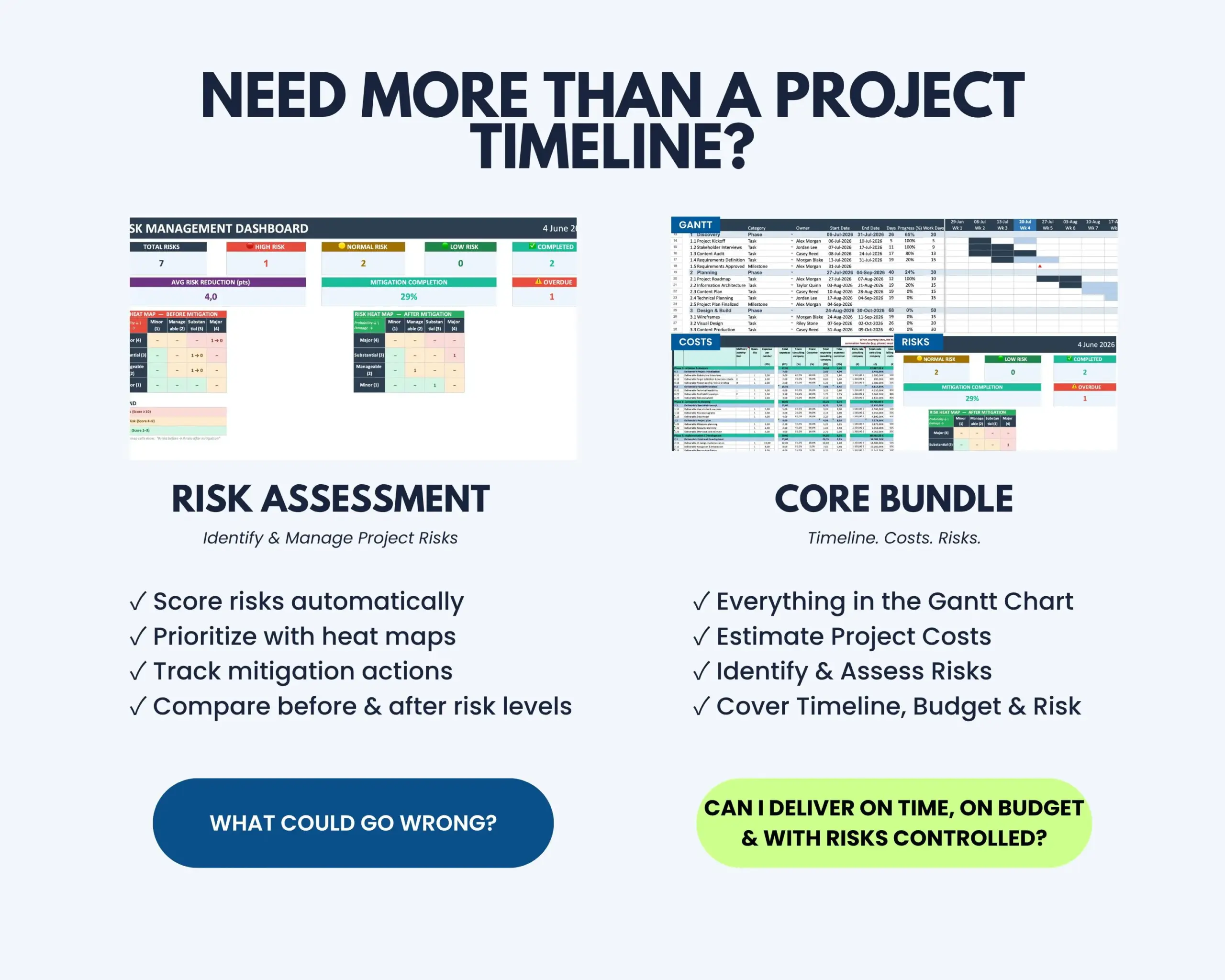
Automatic scoring, color-coded risk levels, dynamic heat maps and dashboard KPIs give you a clearer view of your current risk profile and the impact of your mitigation measures.
What This Risk Assessment Template Helps You Do
- Identify and document risks in a structured process
- Assess risks using Probability × Damage scoring
- Prioritize risks using color-coded risk levels
- Track mitigation measures and their completion status
- Compare risk exposure before and after mitigation
- Measure the risk reduction achieved through mitigation actions
- Visualize risk distribution with dynamic heat maps
- Monitor overall risk status using dashboard KPIs
What’s Included
Your digital download includes:
- Microsoft Excel risk assessment template
- Structured 4-phase risk management workflow
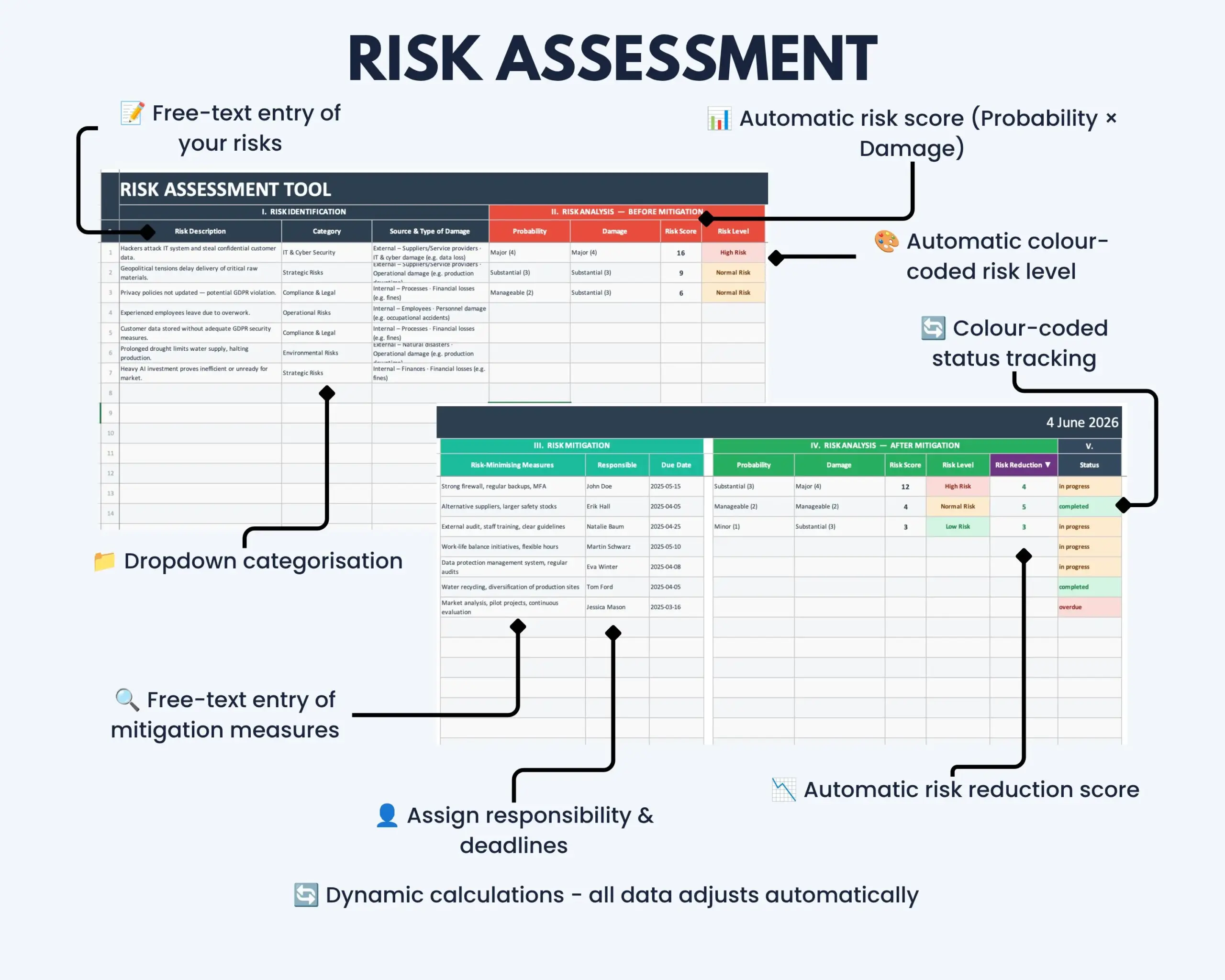
- Risk identification and analysis sections
- Risk mitigation tracker
- After-mitigation assessment
- Before-and-after risk heat maps
- KPI risk management dashboard
- Master Data sheet for customizable dropdown values
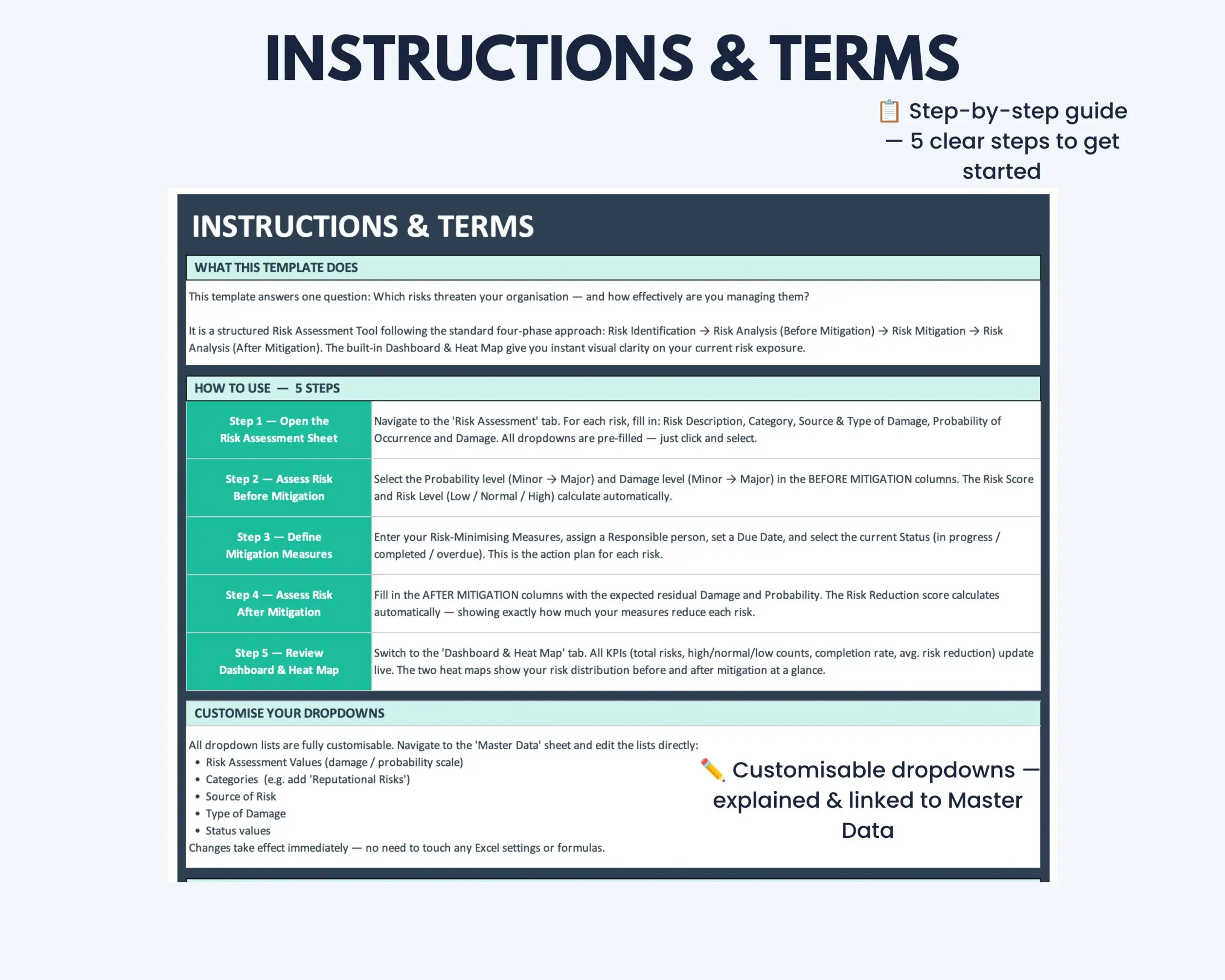
- Integrated Instructions & Terms sheet
Structured 4-Phase Risk Management Workflow
The template guides your assessment through four connected stages:
- Risk Identification – document the risks relevant to your project, team or business.
- Risk Analysis – assess probability and damage to calculate the initial risk score.
- Risk Mitigation – define mitigation measures and monitor their implementation status.
- After-Mitigation Review – reassess each risk and compare the result with the original exposure.
This structure helps turn risk assessment into a repeatable workflow rather than a one-time list of risks.
Key Features
- Automatic risk score calculation based on Probability × Damage
- Color-coded High, Normal and Low risk classifications
- Before-and-after mitigation comparison
- Automatic Risk Reduction Score showing the decrease per mitigation measure
- Dynamic heat maps showing risk distribution before and after mitigation
- KPI dashboard with total risks, mitigation completion and average risk reduction
- Customizable dropdown options through the Master Data sheet
- Status tracking for In Progress, Completed and Overdue mitigation measures
- Reusable structure for ongoing project and business risk assessments
How It Works
- Enter the risks you want to assess.
- Evaluate probability and potential damage.
- Review the automatically calculated risk score and classification.
- Define mitigation measures and track their completion status.
- Reassess each risk after mitigation.
- Review risk reduction, heat maps and dashboard KPIs.
The result is a structured view of both your initial risk exposure and how that exposure changes after mitigation measures are implemented.
Built for Projects, Businesses and Professional Teams
This Excel risk management template is particularly suitable for:
- Project teams managing project risks
- Project managers and team leads
- Small businesses conducting internal risk assessments
- Operations and management teams
- Professionals responsible for risk analysis and mitigation
- Business teams managing internal risks
- Teams that need a reusable Excel-based risk register and assessment workflow
Microsoft Excel Compatibility
This product is designed for Microsoft Excel and is optimized for newer desktop versions.
Older Excel versions or alternative spreadsheet applications may not display all formulas, colors, formatting or automated functionality correctly.
Google Sheets, Apple Numbers and other spreadsheet applications are not recommended.
Before publishing: verify whether the template actually uses macros. Your current Etsy listing states that macros should be activated. If macros are required, this should remain clearly stated in the final compatibility information.
Customization
Dropdown values can be customized through the included Master Data sheet.
This allows you to adapt predefined options to better match your internal risk management process while keeping the underlying assessment structure consistent.
Need More Than a Risk Assessment Template?
The Project Management Bundle includes this Risk Assessment Template together with additional tools for planning, tracking and managing projects in a broader workflow.
If you need more than a standalone risk management tool, the bundle provides a more complete project management solution.
Important Information
- This is a digital product. No physical item will be shipped.
- The purchase includes the Microsoft Excel risk assessment template.
- The template is designed for structured internal risk assessment and risk management.
- Results depend on the probability, damage and mitigation information entered by the user.
- The template supports internal planning and documentation but does not replace professional, legal, regulatory or industry-specific risk advice.
- Functionality may differ in older Excel versions or alternative spreadsheet applications.
- Please review the compatibility information before purchasing.
If you experience a technical issue with the file, please contact the Optimizoo support team.
License and Conditions of Use
Your purchase includes a non-exclusive, non-transferable license for personal, business and educational use.
You May
- Use the file for personal purposes
- Use the template internally within your own business
- Use the template for educational purposes such as teaching or studying
You May Not
- Resell, share or redistribute the template
- Upload, sublicense or reproduce the template in whole or in part
- Use the template to create products or services for clients or customers
- Redistribute modified or unmodified versions of the template
The license is granted for an unlimited period. Restrictions relating to resale, sharing and redistribution apply permanently.
Turn Risk Assessment Into a Clear Workflow
Use the Risk Assessment Excel Template to move from identifying risks to evaluating mitigation results in one structured workbook.
Keep risk scores, mitigation measures, heat maps and key risk indicators visible throughout the assessment process.


Reviews
There are no reviews yet.